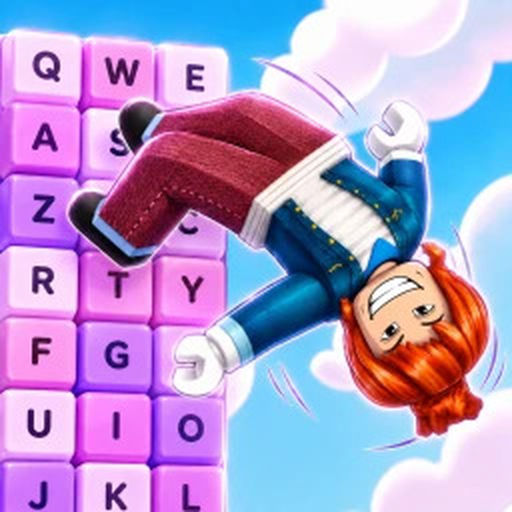
BackflipEscape
Beginner route

Backflip Keyboard Escape Beginner Guide

A practical first-run route based on the official flip-to-Speed loop, the keyboard obstacle theme, unlockable multipliers, racing, and the FRONTFLIPPERS group gift.

Checked August 2, 2026FRONTFLIPPERS place 102553576537621
Quick answer

Confirm the creator, build Speed with backflips, then learn the course one obstacle at a time

Open the selected experience by FRONTFLIPPERS, not one of the similarly named games from other creators. The official description says every backflip adds 1 Speed. That simple loop is the safe starting point: flip, watch your Speed change, and use what you have built to attempt the next keyboard-shaped obstacle.

The game advertises a candy or chocolate keyboard world, unlockable multipliers, races with other players, a weekend X3 multiplier, and a free gift for joining the creator group. Exact world thresholds, race rewards, multiplier prices, and gift contents are not publicly listed, so treat the live menus in your session as the final word.

If you are starting over, focus on repeatable actions rather than copying a noob-to-pro video from a different place. Check the creator and place ID, learn how the Speed counter responds, and change only one thing at a time when a jump fails. You do not need Robux to follow this guide, and no paid product is recommended because the official gamepass API returned no listed passes when checked.

Step-by-step

Work through the route in order

Step 1

Open the real game

Use the official Roblox link and verify FRONTFLIPPERS plus place 102553576537621. This prevents Wins, boots, rebirths, or other adjacent-game systems from being mixed into your route.

Step 2

Build and observe Speed

Perform backflips and watch the Speed counter. If you see a gain above the base +1, note the effective multiplier in your own session and use it in the Speed Lab instead of assuming an old event is still active.

Step 3

Practice the keyboard course

Attempt the next obstacle, then adjust timing, camera, and input before grinding blindly. The developer has not published Speed thresholds for individual jumps, so progress by observation rather than a fake requirement table.

Step 4

Claim only visible rewards

The description advertises a group gift and races, but does not list exact rewards. Join the official FRONTFLIPPERS group only if you want the advertised gift, and confirm the claim button and contents in-game.

Step 5

Recheck changing events

Weekend X3 wording and an X5 title prefix were visible during research, but event meanings and duration can change. Recheck the title, description, and your live gain after rejoining.

Step 6

Plan the next target

Use the calculator for Speed projections, the stuck-jump guide for execution checks, and the source page when a creator video or similar game makes a claim that does not match your session.

FAQ

Common player questions

How do you play Backflip Keyboard Escape?

Backflip to add Speed, then use that progression while attempting the keyboard-themed obstacle course. The official description also mentions multipliers and races.

How do I know I opened the correct game?

Check that the creator is FRONTFLIPPERS and the Roblox place ID is 102553576537621.

How do I get the free group gift?

The official description advertises a free gift for joining FRONTFLIPPERS. Join from the official creator link and look for the in-game claim surface; the gift contents are not publicly specified.

Do I need Robux?

No Robux purchase is required by this guide. No selected-game passes were listed by the official API when checked, so avoid unsupported buying advice.

Next actions

Continue with the page that matches your problem